
Download BlockOut
The full version with unbreakable blocking. Free forever.
Installation Guide
Installing apps from outside the Play Store takes a few extra steps.
Download the APK
Tap the download button above. Your browser may warn you about downloading an APK — this is normal for apps outside the Play Store. Tap "Download anyway" or "OK" to continue.
Allow installation
When you open the APK, Android will ask you to allow installation from this source. On Android 8+, go to Settings > Apps > Special access > Install unknown apps and enable it for your browser. On older versions, enable Settings > Security > Unknown sources.
Install BlockOut
Open the downloaded APK file (check your notifications or the Downloads folder). Tap Install. The installation takes a few seconds.
Grant permissions
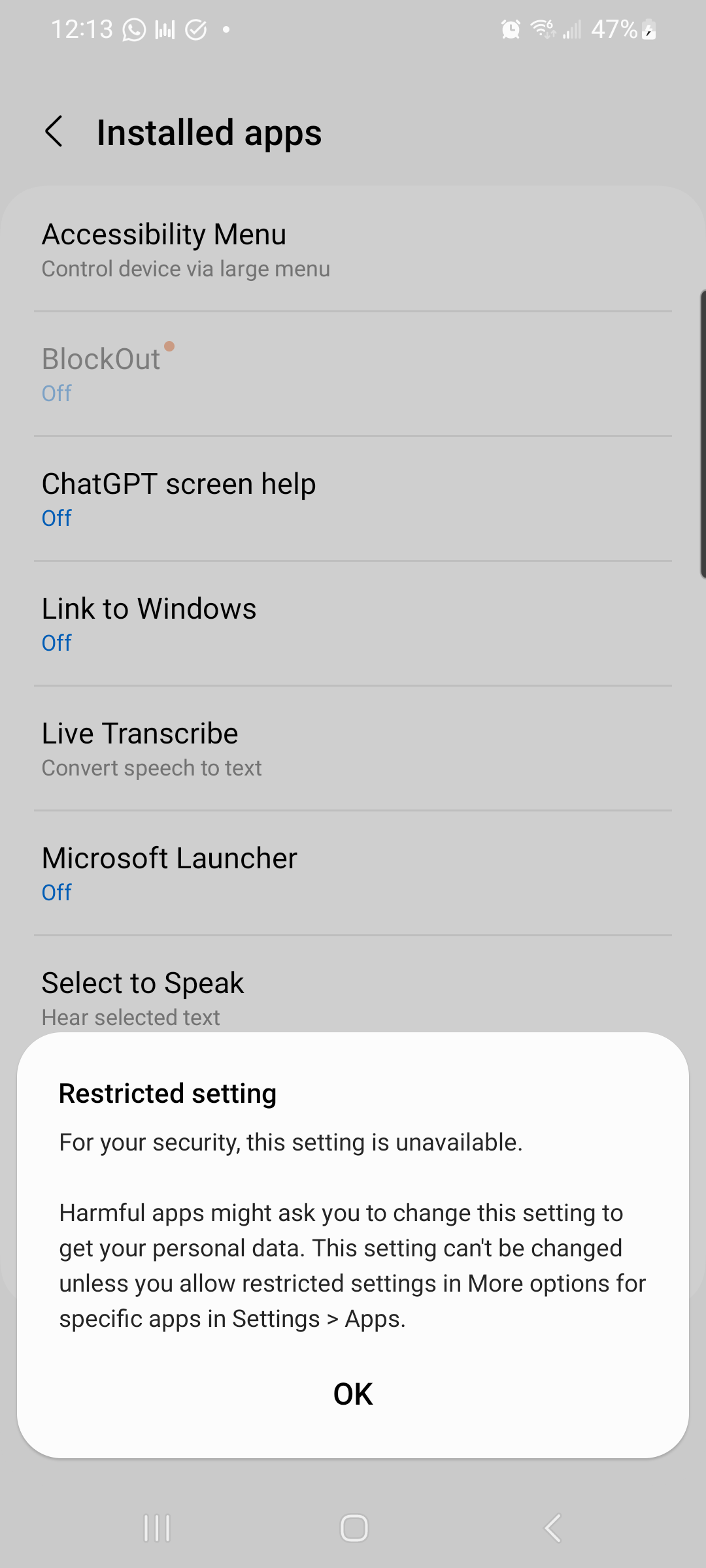
BlockOut will guide you through granting the permissions it needs:
- Accessibility Service — detects when you open blocked apps or visit blocked websites (this is the core blocking mechanism)
- Device Administrator — prevents uninstalling BlockOut during active blocking
- Display over other apps — shows the blocking overlay
These permissions are only used for blocking. BlockOut does not collect, store, or transmit any personal data.
Add your blocklist
Add the apps and websites you want to block, set your weekly settings window, and you're good to go. Your commitment starts now.
Verify Your Download
For the security-conscious: verify the APK hasn't been tampered with.
On a computer, run this command in the same directory as the downloaded APK:
sha256sum blockout-latest.apk On macOS:
shasum -a 256 blockout-latest.apk The output should match the SHA-256 hash shown in the download box above.
Also Available On
Samsung Galaxy Store
The full version of BlockOut, available directly on Samsung devices.
Coming SoonGoogle Play (Lite)
Core blocking features without enforcement. Great for getting started.
View on Google Play